Management software for beach clubs.
A live map of your beach, bookings online and at reception, season passes with QR cards, orders from the umbrella, restaurant, inventory and till. One system for all your staff, on computer, tablet and phone, with your beach club website already included.
Free demo, no sign-up: a fictional beach club whose data resets every night.
Everything in one system
- Beach
- Bookings
- Customers & passes
- Bar & orders
- Restaurant
- Till & reports
- Inventory
- Price list
- Staff
- Beach club website
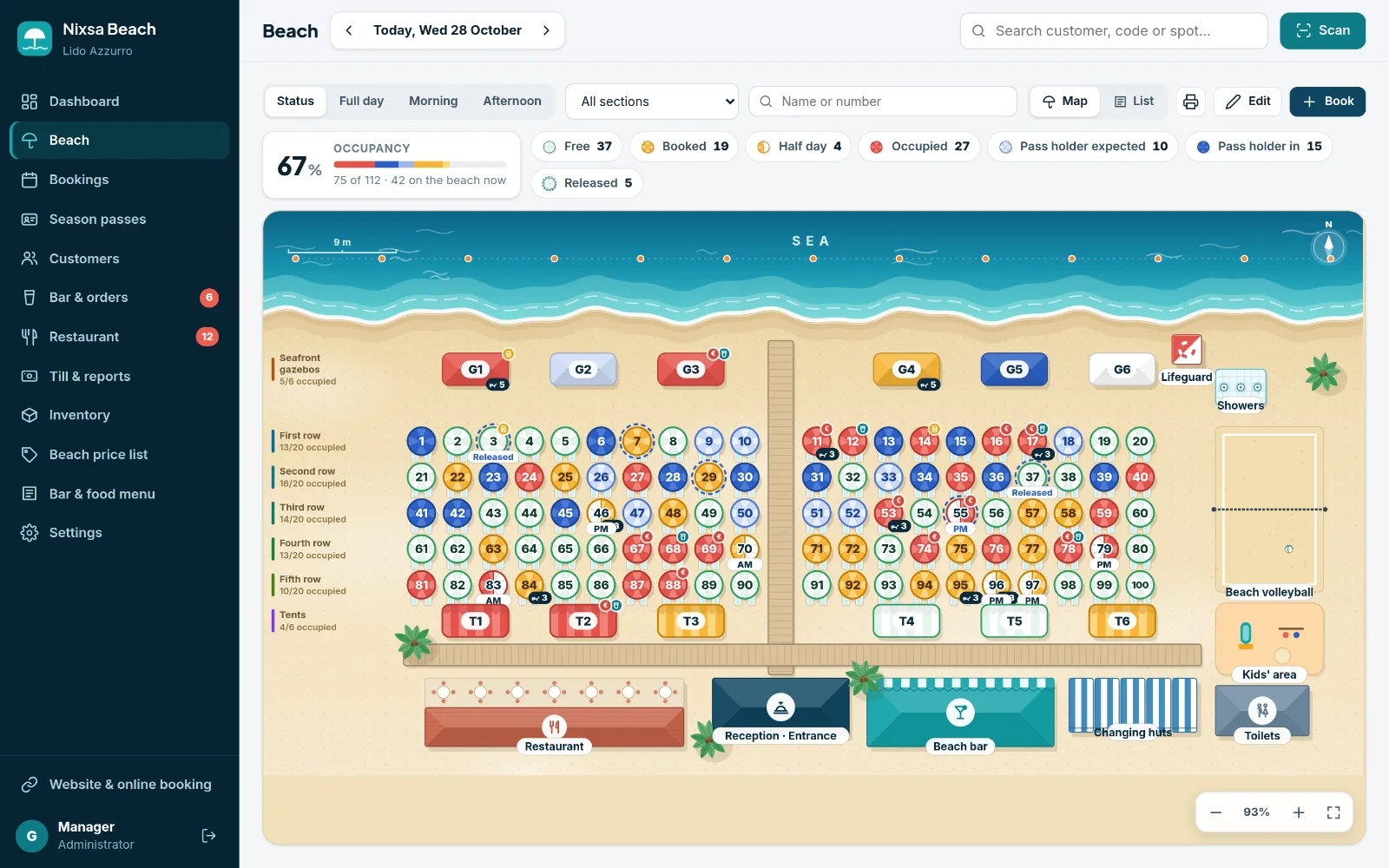
Beach map
Your beach, drawn as it really is. And updated as you work.
Every umbrella, gazebo and tent appears on the illustrated map of your beach club with today's status. When reception checks a guest in, the lifeguard sees it instantly on their phone.
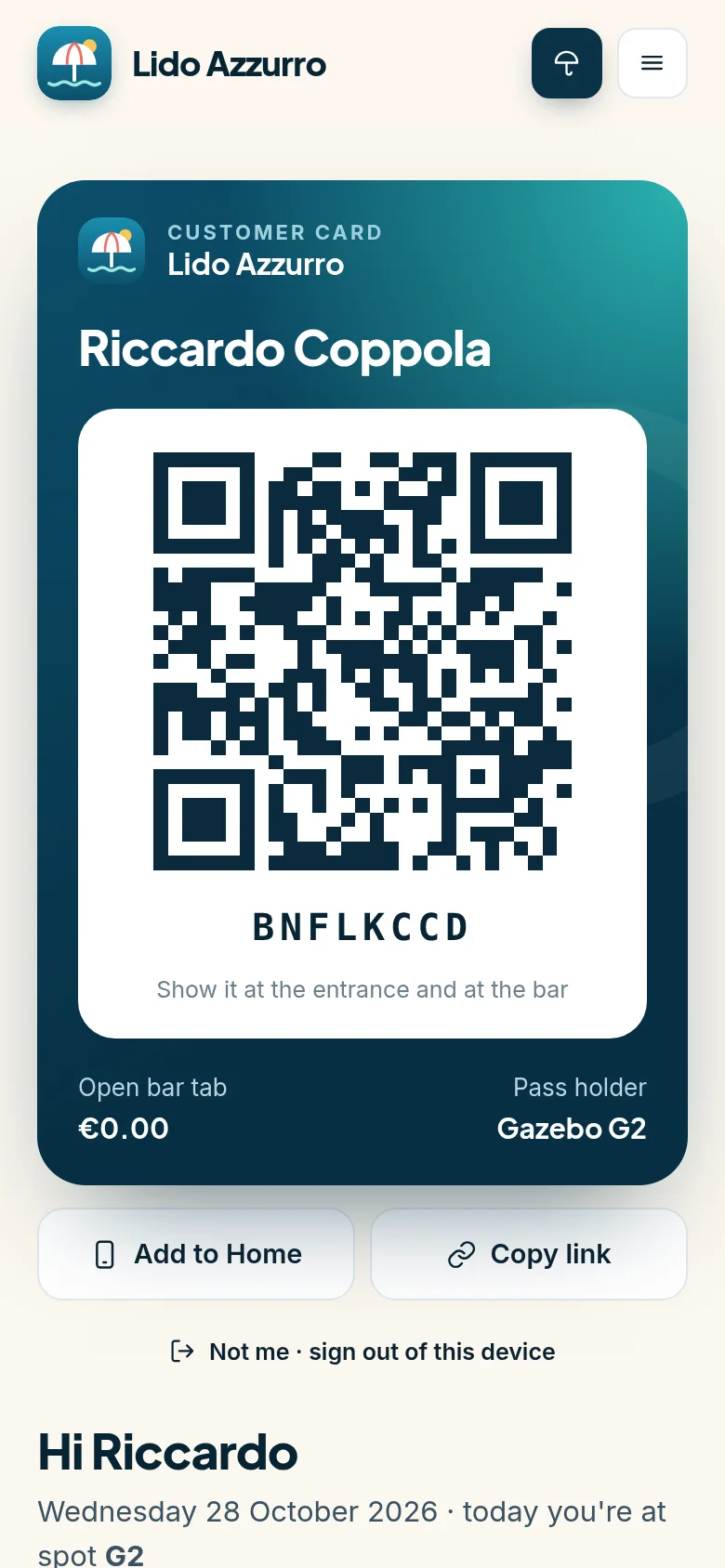
- A built-in map editor: rows of umbrellas, gazebos, tents, walkways, bar, showers, changing rooms and play areas, plus the shape of the shoreline.
- Full day, morning or afternoon: a half day is a spot you can sell, not a note in the margin.
- One tap on a spot to book it, check the guest in, take payment or move them elsewhere.
- Printable beach map and a QR code for every umbrella.
Customers & season passes
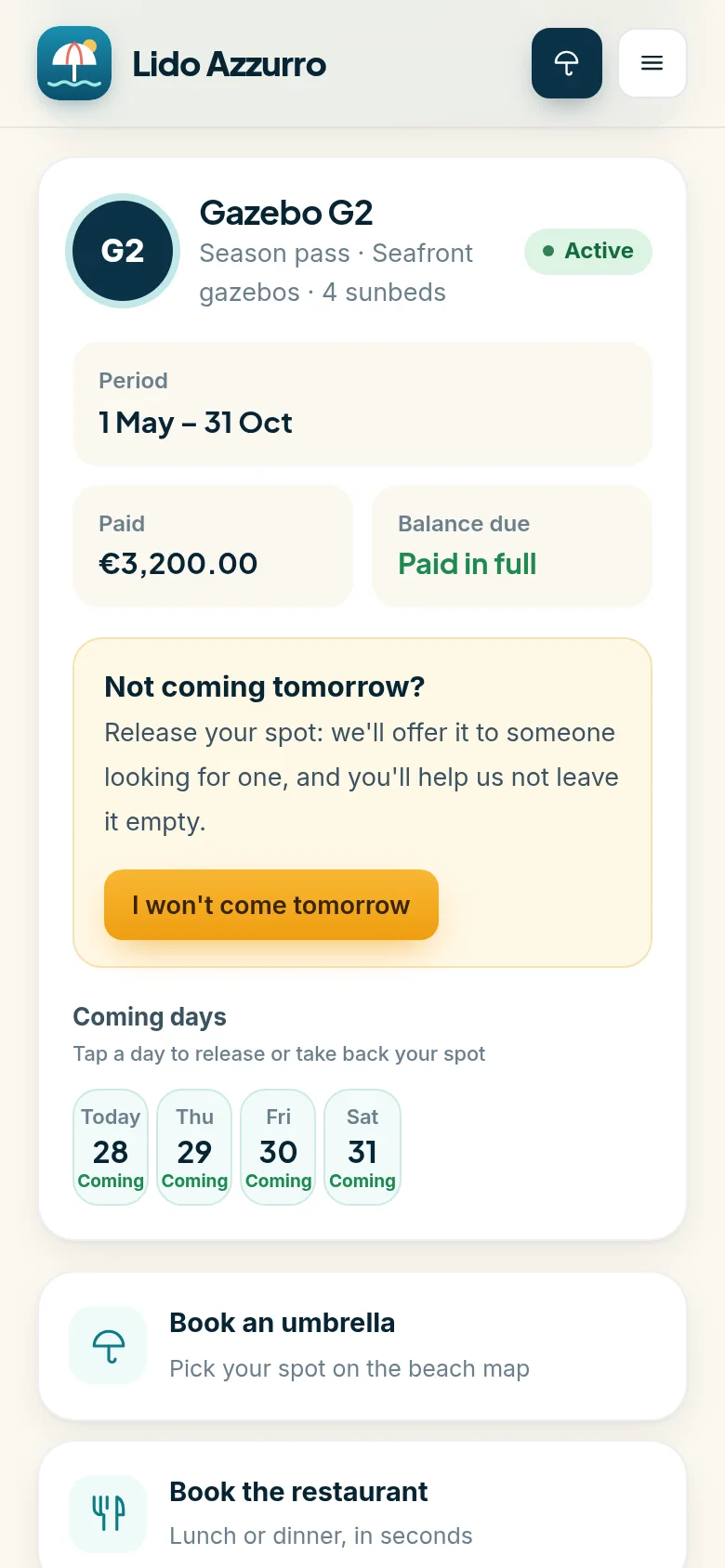
Pass holders release their spot when they can't come. You sell it again.
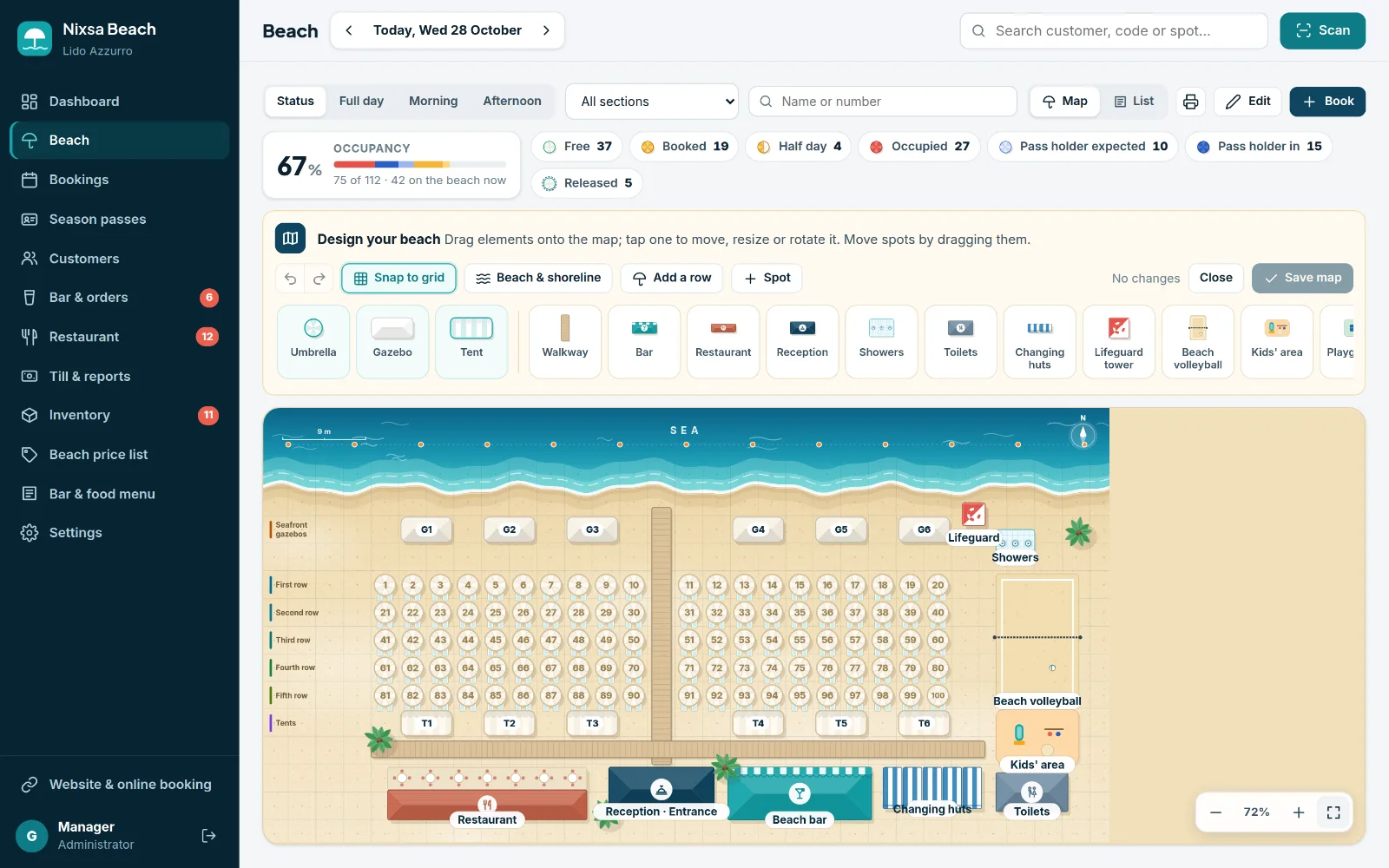
Every customer has a personal code with a QR card, on their phone or printed. In their customer area, pass holders mark the days they won't be coming: the spot becomes available as a day booking, at the desk and online.
- Built-in QR scanner: the tablet or phone camera recognises cards and bookings and opens the right record.
- Complete customer record: bookings, season pass, payments, bar orders and open tab.
- Seasonal or period passes with outstanding balance and daily attendance.
Bar & orders
Guests order from their umbrella. The bar sees it instantly.
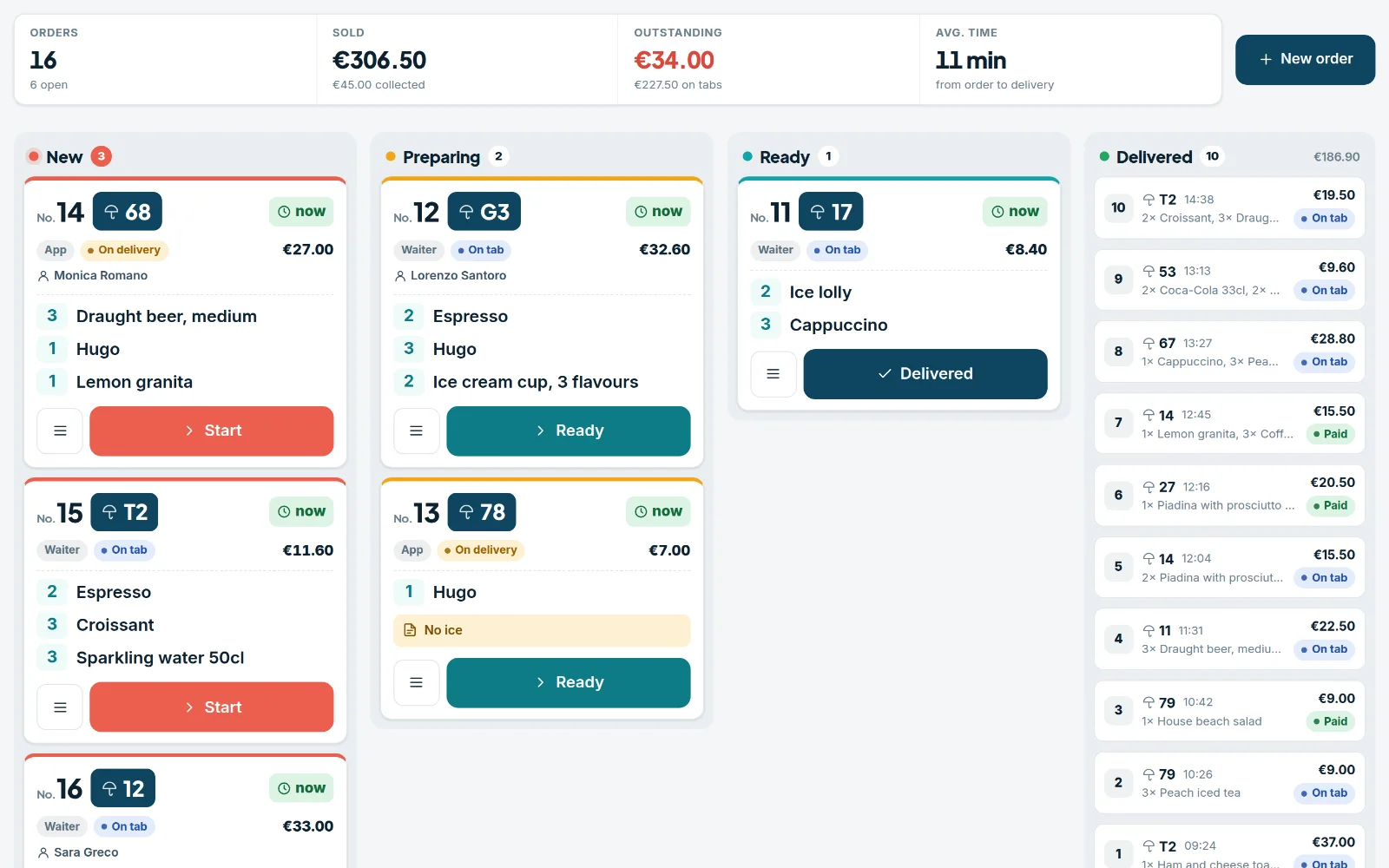
The guest scans the QR code on the umbrella, picks from the menu and sends the order. It appears on the bar screen with the spot number, and the guest follows its progress on their phone.
- Column-based bar screen for tablet or monitor: new, preparing, ready, delivered.
- Pay on delivery or add it to the tab, settled at the till whenever the guest likes.
- Orders from the counter and waiters too, with service hours and sold-out items managed from the menu.
No app to download: the beach club menu opens in the phone's browser.
A sound for every new order, one tap to move it along.
Every item sold deducts its ingredients and drinks from stock.
Inventory & equipment
Know what you're short of before it runs out.
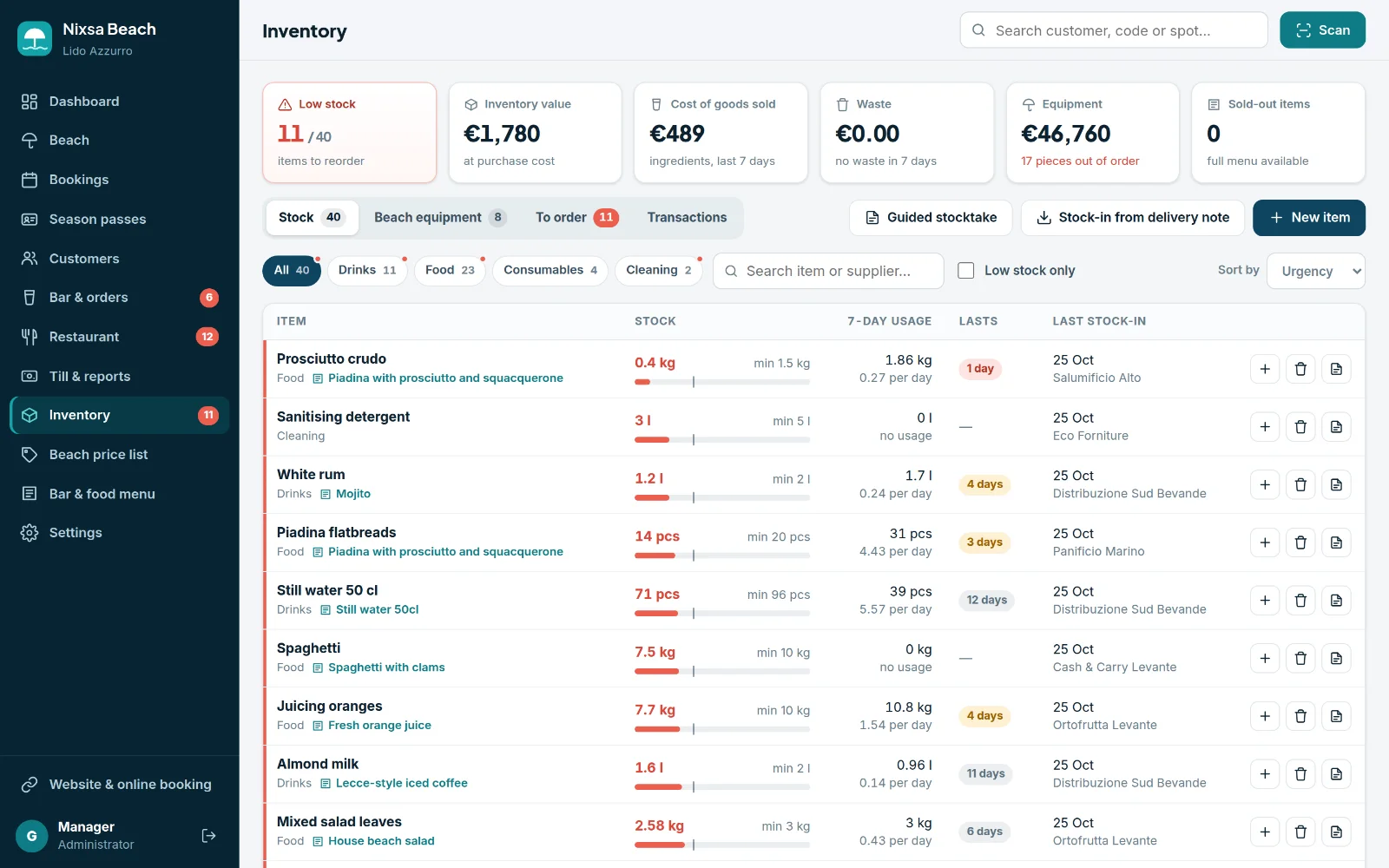
Bar and kitchen stock goes down automatically with every order. When an item drops below its minimum stock, it lands on the shopping list, already split by supplier and ready to print or send.
- Stock-in from the delivery note and guided stocktakes, with cost of goods sold and waste.
- Days of stock left, calculated from the actual consumption of each item.
- Equipment register: sunbeds, umbrellas and everything else on the beach, with faults to repair.
Dashboard, till & reports
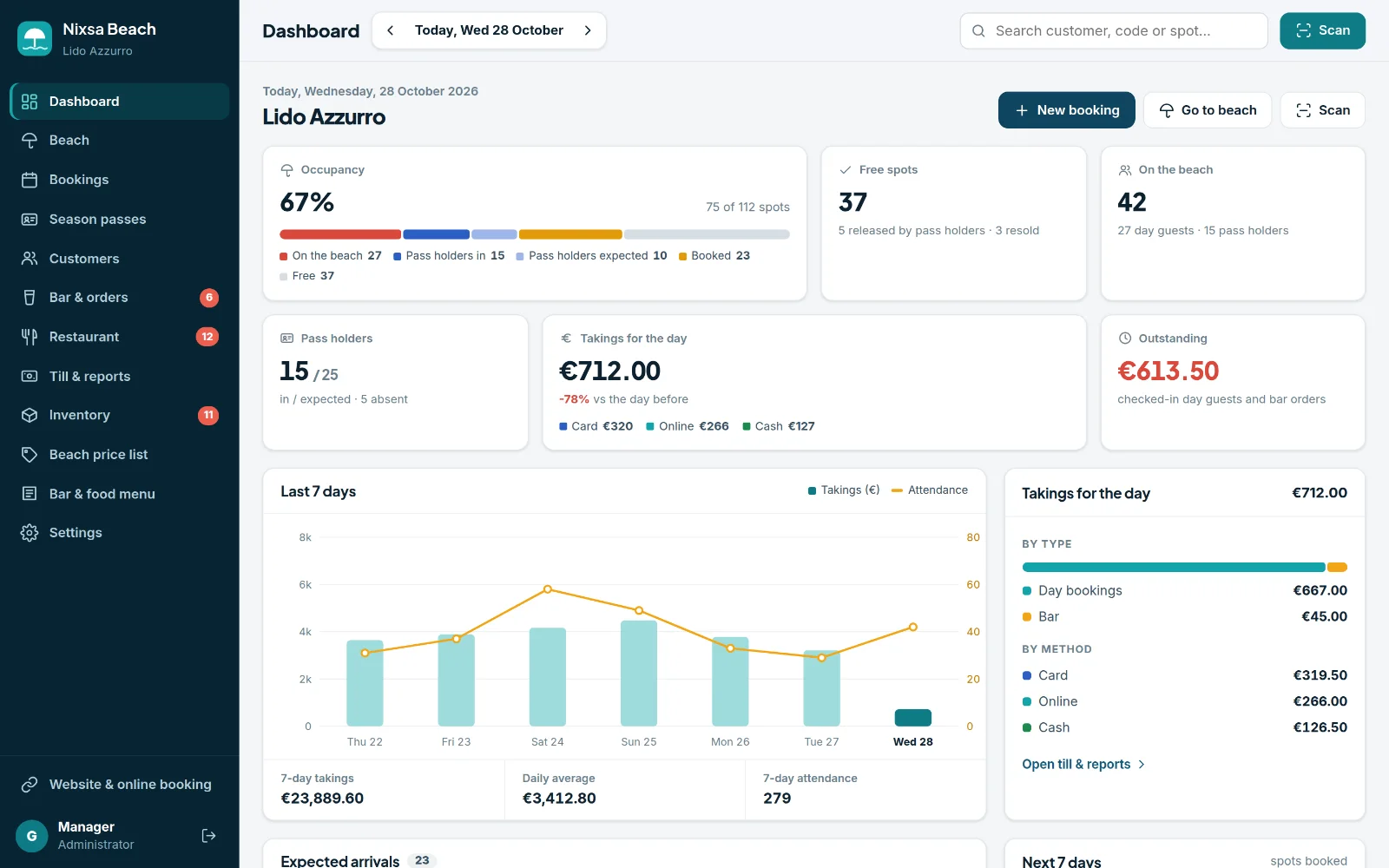
Your beach club's day on a single screen.
Occupancy, expected arrivals, takings by type and payment method, bar orders, restaurant covers and items to reorder. At the end of the day, the cash-up report, ready to print or export.
- Takings broken down into day bookings, season passes, bar and restaurant; cash, card and online.
- Trends over the last few days and bookings for the days ahead.
- Activity log: who did what, and when.
And there's more
Designed around how a beach club really works.
Online and front-desk bookings
Customers choose their spot on the same map you use; reception books in a few taps. A spot is never sold twice.
Prices by section and period
Prices by row, gazebos and tents, high and low season, half days and extra sunbeds. The price works itself out.
Restaurant with a table plan
Lunch and dinner bookings, online too, table assignment on the dining room plan, and the bill.
A login for every role
Manager, reception and till, bar, lifeguard: everyone sees the sections they need, with their own permissions.
Computer, tablet and phone
It runs in the browser, nothing to install. The lifeguard works from a phone on the beach, the bar from a tablet on the counter.
Your beach club website, included
A public site with umbrella and table booking, customer area and ordering, using the data and prices from the software.
How it works for beachgoers
From booking to coffee, all on their phone.
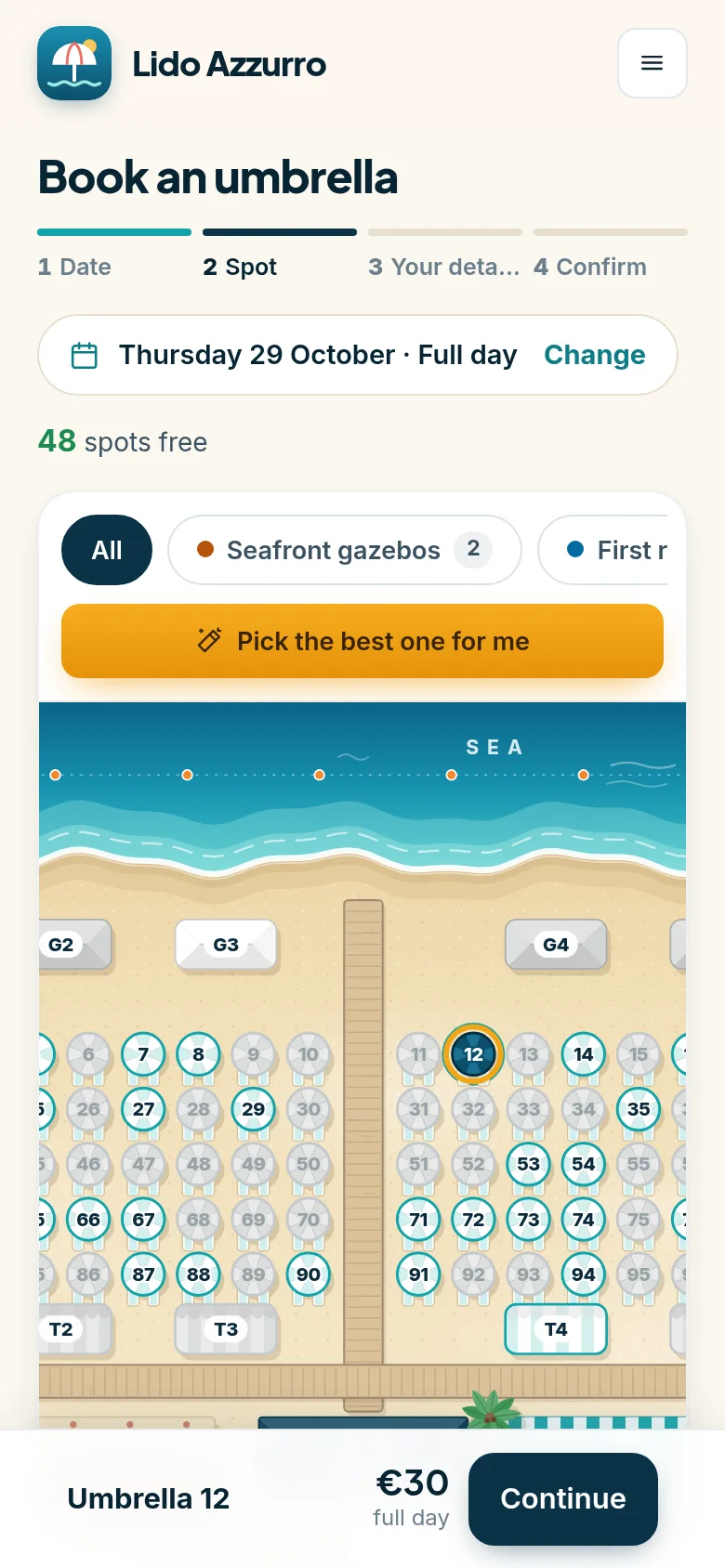
No app to install: everything opens in the browser, under your beach club's name.
They book their spot
They choose the day and the umbrella on the map, see the price straight away and confirm.
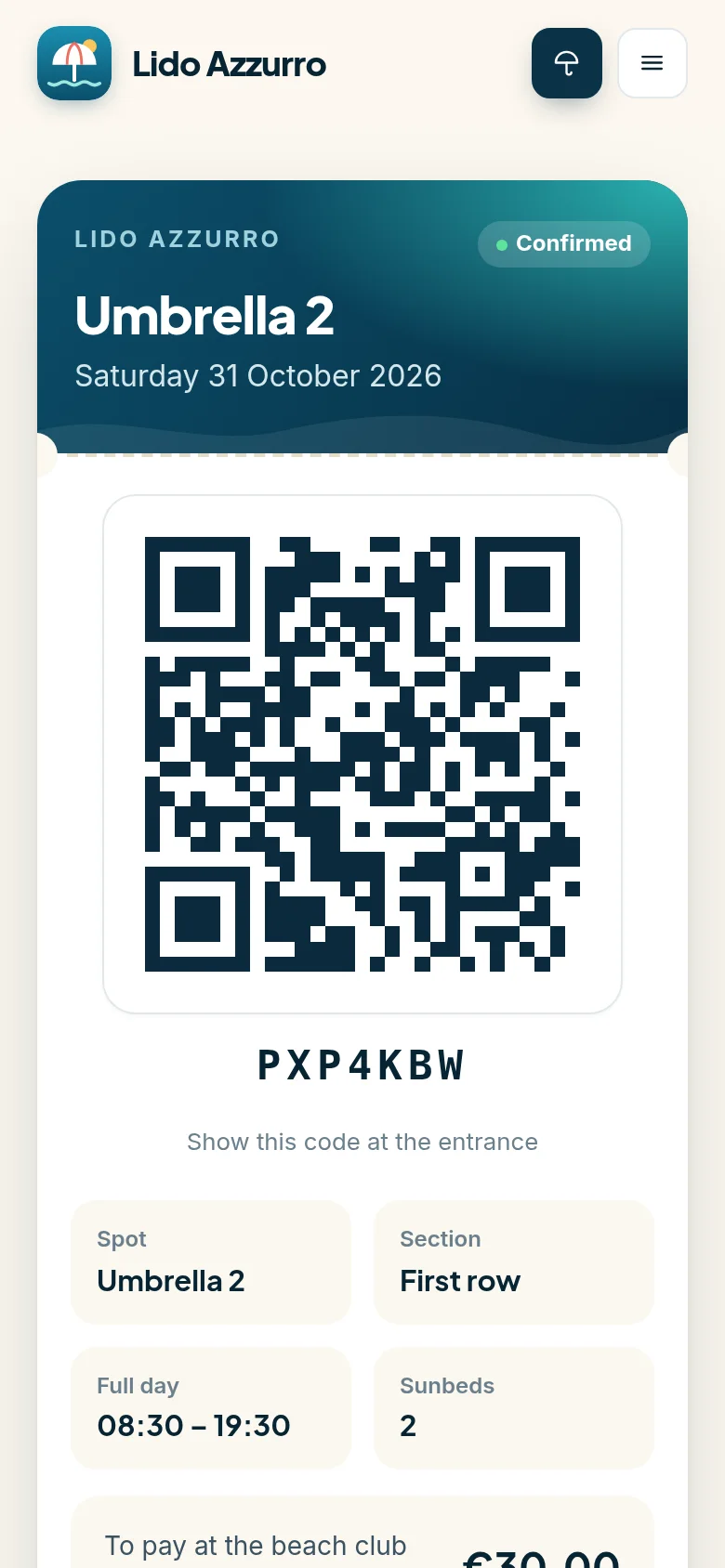
They get a code and QR
They show it on arrival: reception scans it and checks them in. They can add it to their calendar or cancel online.
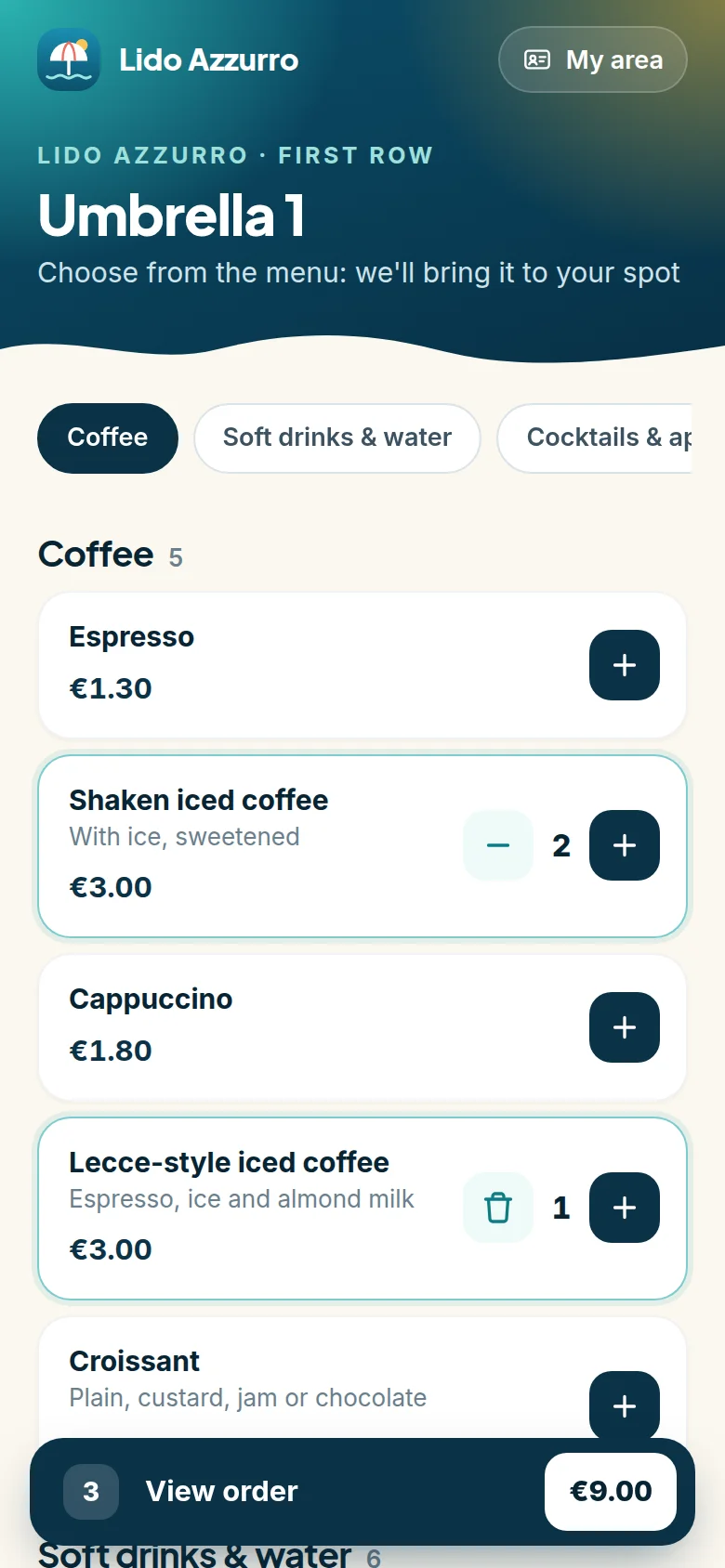
They order from the umbrella
They scan the QR code on their spot, choose from the menu, and the bar brings it over.
Free demo
Try the demo.
Step into the software of “Lido Azzurro”, with the beach, pass holders, orders and restaurant already in full swing. No sign-up: just choose which role to sign in with.
“Lido Azzurro” is a fictional beach club: names, customers and figures are just examples. The data resets every night, so feel free to try everything.
Contact
Tell us about your beach club.
How many spots you have, whether there's a bar or a restaurant, how many pass holders, how you take bookings today. We'll show you Nixsa Beach around the way you work.
- [email protected]
- Nixsa Studio · software house
Request a presentation
Drop us a few lines about your beach club and we'll get back to you to arrange a presentation of the software.
- Beach club name and location
- Number of spots and services (bar, restaurant)
- A phone number or email to reach you